
Cinema 4D Quick Tip
C4D Quick Tip: AO Catcher
A Cinema 4D quick tip for creating an AO catcher style setup to help ground objects with ambient occlusion in a render.
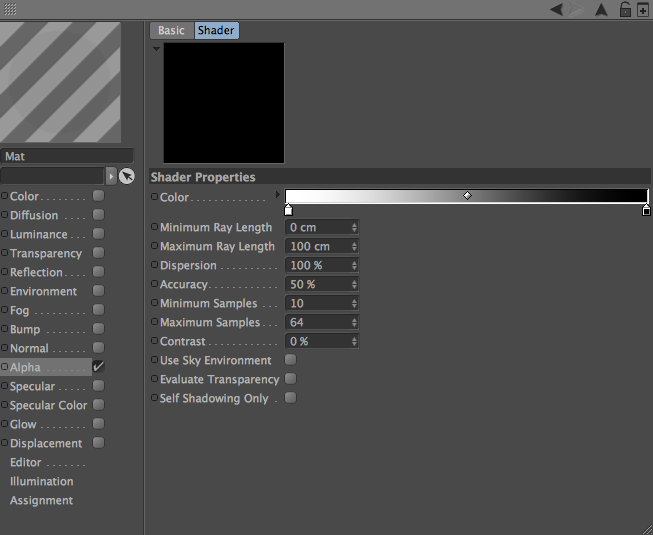
Ground objects with ambient occlusion
An AO catcher setup is useful when you want contact and grounding without overcomplicating the render. It helps objects sit more naturally in a scene or composite.
This quick tip remains a practical old-school Cinema 4D technique, now presented in the same cleaner post format as the rest of the updated archive.
Use it for
- Adding contact shadows or grounding to objects.
- Render tests where subtle occlusion helps sell the placement.
- Cleaner compositing support inside a Cinema 4D workflow.
Why it helps
Better contact
Ambient occlusion can make objects feel connected to the scene.
Cleaner grounding
Useful when combining objects with plates or simple backgrounds.
Quick setup
A small technique that solves a common presentation problem.
Keep exploring C4D rendering tips
Browse more tutorials, freebies, and tools from Alpha Pixel.