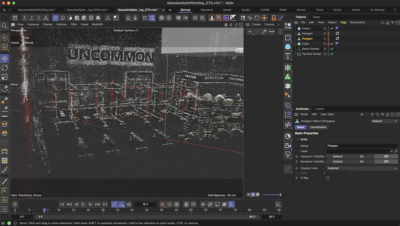
[vc_row][vc_column][vc_column_text]Here's a little quick tip on how to render just the Ambient Occlusion for certain objects without using Multipass rendering.
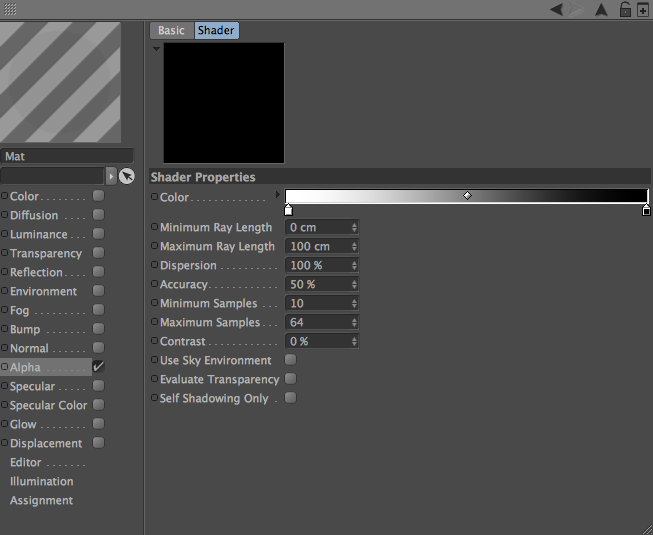
1. Create new material and turn off all channels but Alpha
2. Load in the AO preset under Effects
3. Invert the gradient
4. Apply material to whatever object(s) you want just the AO of (ex. Floor or Wall)
5. If you truly just want the AO then apply a Compositing Tag with Seen By Camera and Seen By Transparency(just in case) off. Your render might show up as all black, but if you look at your alpha channel the AO will be there.

[/vc_column_text][dt_default_button border_radius="100px" border_width="0px" btn_width="btn_fixed_width" button_alignment="btn_center" button_padding="16px 34px 16px 34px" css=".vc_custom_1522705149942{margin-top: 40px !important;margin-bottom: 40px !important;}" custom_btn_width="300" default_btn_bg_color="#3a3a3a" font_size="16" icon_size="16" link="url:http%3A%2F%2Falphapixel.net%2Ffreebies%2F|||" size="custom" text_color="#ffb200"]Download Scene File Here[/dt_default_button][/vc_column][/vc_row]