
Cinema 4D Quick Tip
C4D Quick Tip: TP Multishape Emitter
A Cinema 4D quick tip about using Thinking Particles with a multishape emitter setup for more varied particle results.
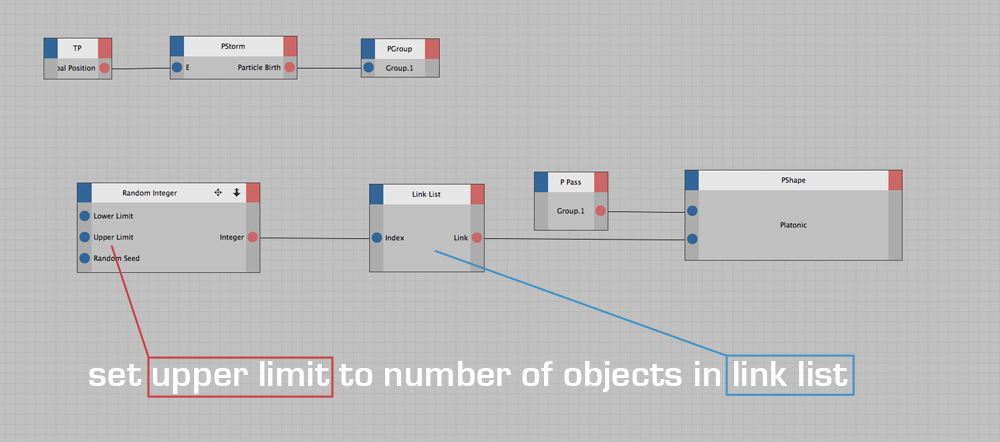
Vary particle shapes with a clearer setup
A multishape emitter can make particle work feel less repetitive by introducing variation into the emitted forms. This quick tip focuses on the setup idea and the logic behind it.
The updated layout gives the older tip a modern structure while preserving the original setup image.
Useful for
- Thinking Particles setups that need shape variation.
- Motion graphics scenes with repeated elements.
- Learning how Xpresso-style control can drive particle behavior.
Workflow takeaways
More variation
Move beyond one repeated shape in particle systems.
Control the setup
Use node logic to make the emitter more flexible.
Reusable concept
Apply the same idea to other repeated-object systems.
Explore more C4D quick tips
Continue with more Alpha Pixel tutorials, downloads, and Cinema 4D tools.