
Object switcher
Object Switcher is a Cinema 4D object plugin that switches or reveals objects from a linked object list at chosen frame switches with no keyframes. It can control viewport visibility, render visibility, or both. Switch mode shows one active object at a time, while Reveal mode turns objects on as their frame is reached and leaves them on. Timing can be edited manually, locked forward, or stretched proportionally. The plugin also includes ON/OFF override controls and a compact Object tab interface.
Object Switcher Core Features
- Switch or reveal objects from one linked Object List
- Control viewport visibility, render visibility, both, or neither
- Use Switch mode to show only one active object at a time
- Use Reveal mode to turn objects on and leave them on as frames are reached
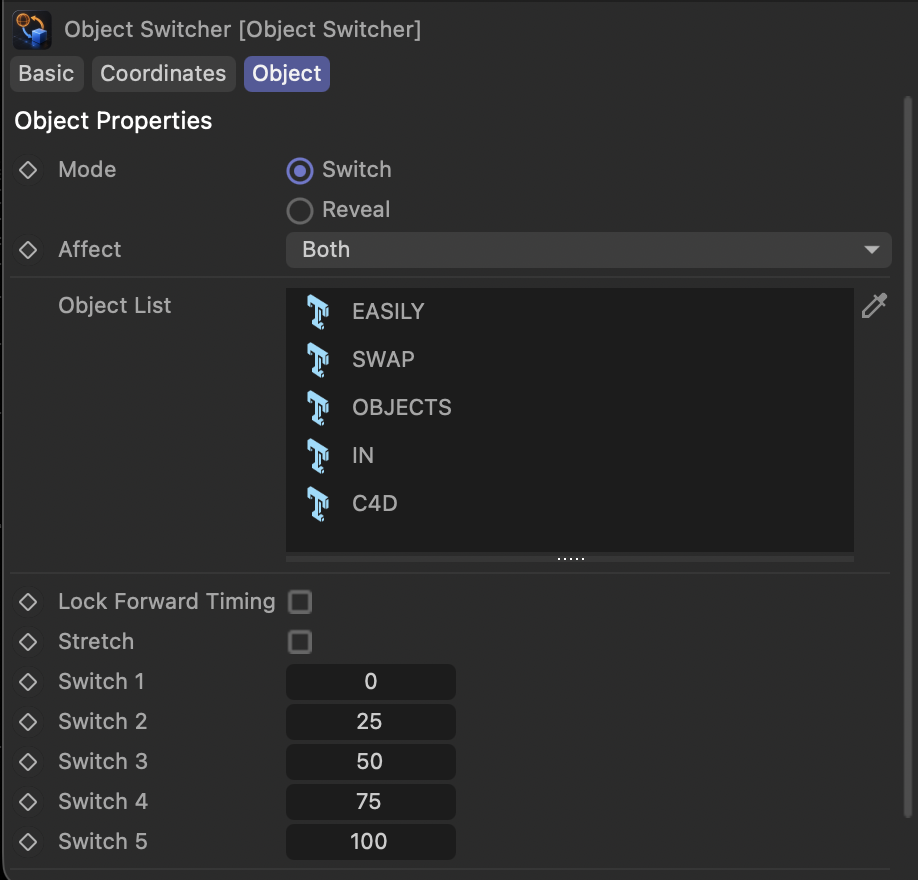
- Create one switch-frame field automatically for each listed object
- Lock forward timing to shift a switch and everything after it
- Stretch timing between the first and last switch while preserving spacing
- Force all listed objects ON or OFF with the Override control
- Keep switching behavior contained in one compact Object tab interface
KEYFRAMELESS VISIBILITY
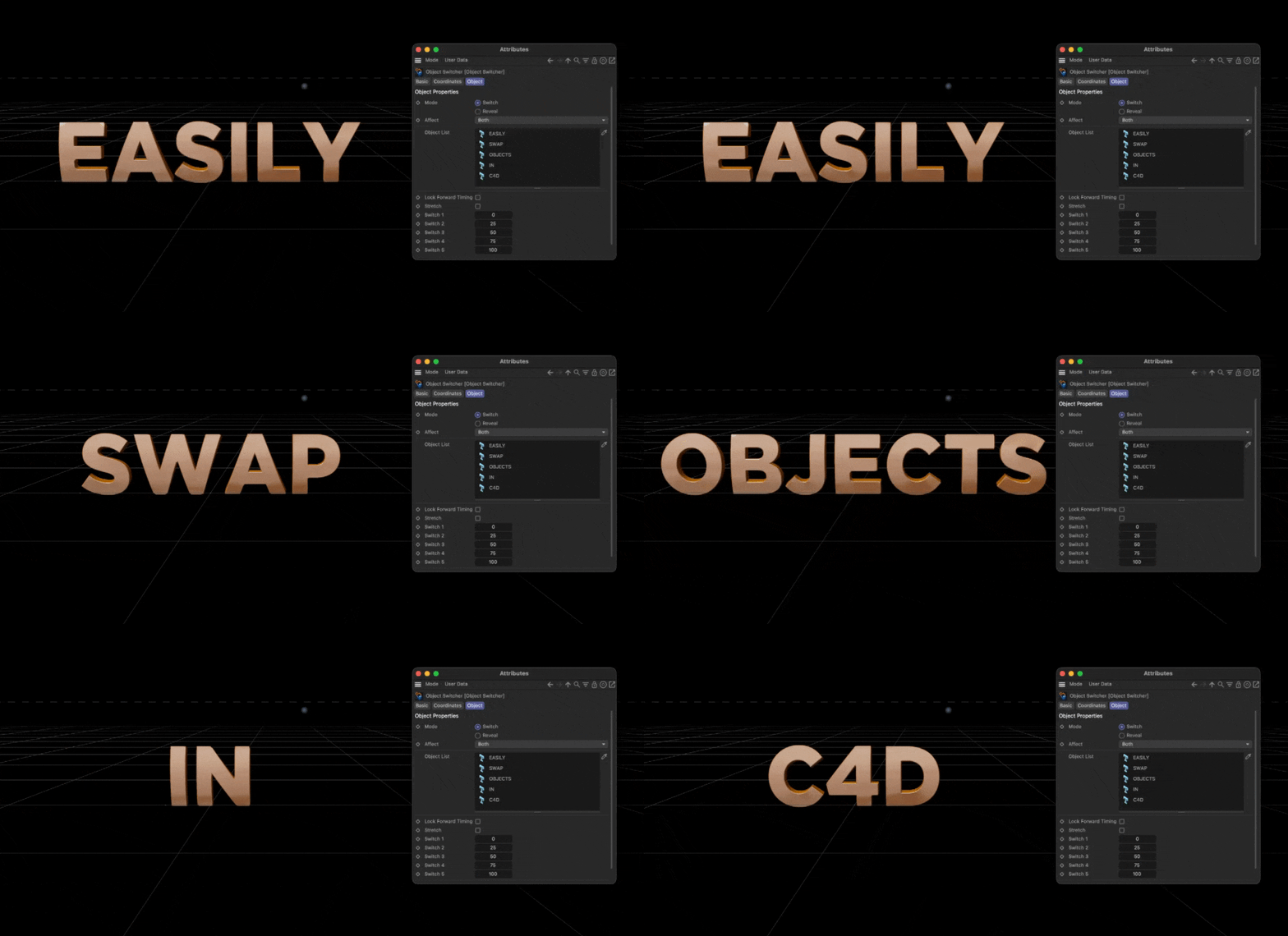
Switch between objects from one Object List by assigning each object its own frame value. In Switch mode, only the object with the most recently reached frame stays visible, making it easy to swap between models, versions, stages, or layout options without adding visibility keyframes.
PROGRESSIVE OBJECT REVEALS
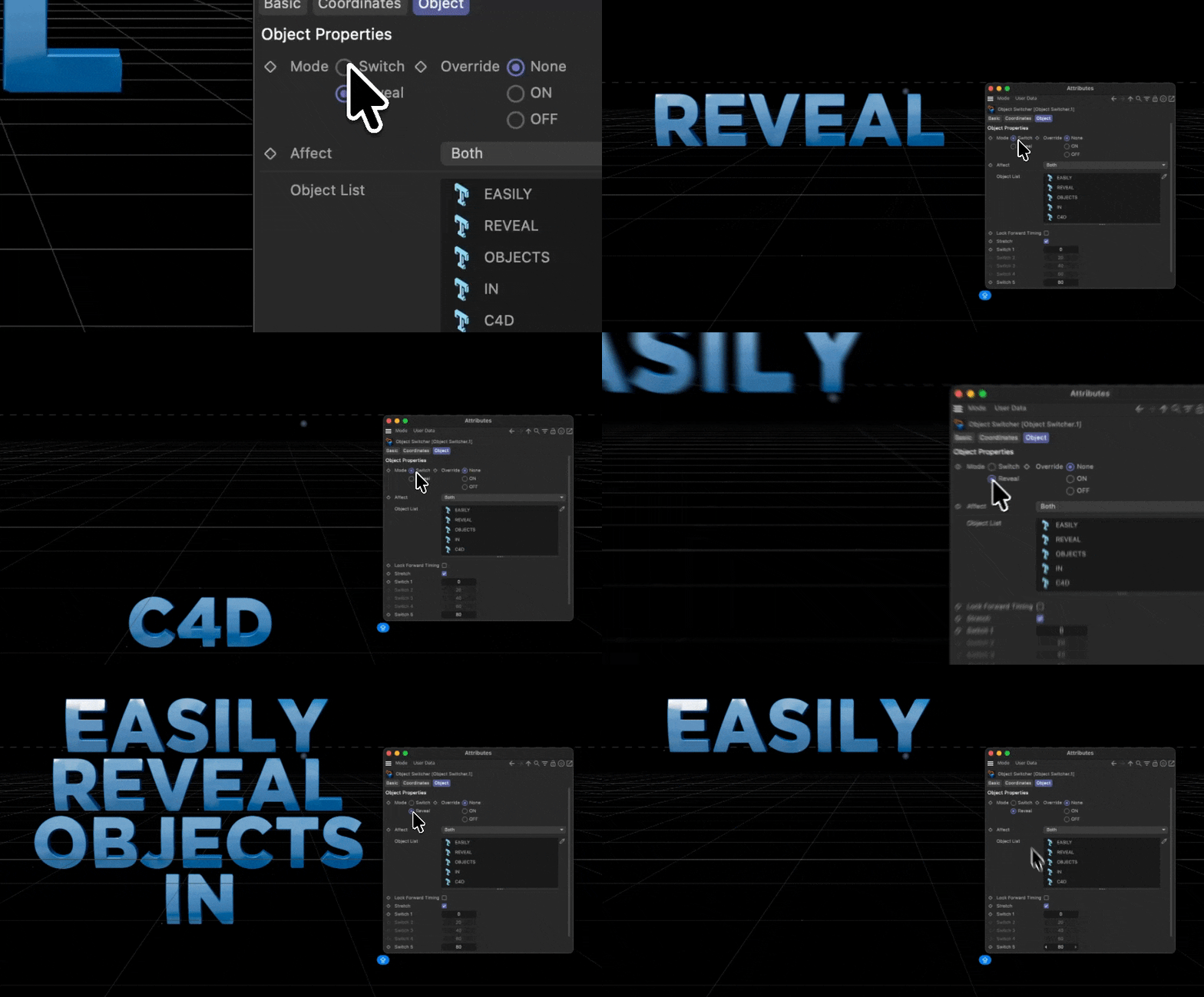
Reveal objects over time by using Reveal mode instead of Switch mode. Each listed object turns on when its switch frame is reached and stays on afterward, which is useful for build-ups, step-by-step animations, staged assemblies, or progressive scene reveals.
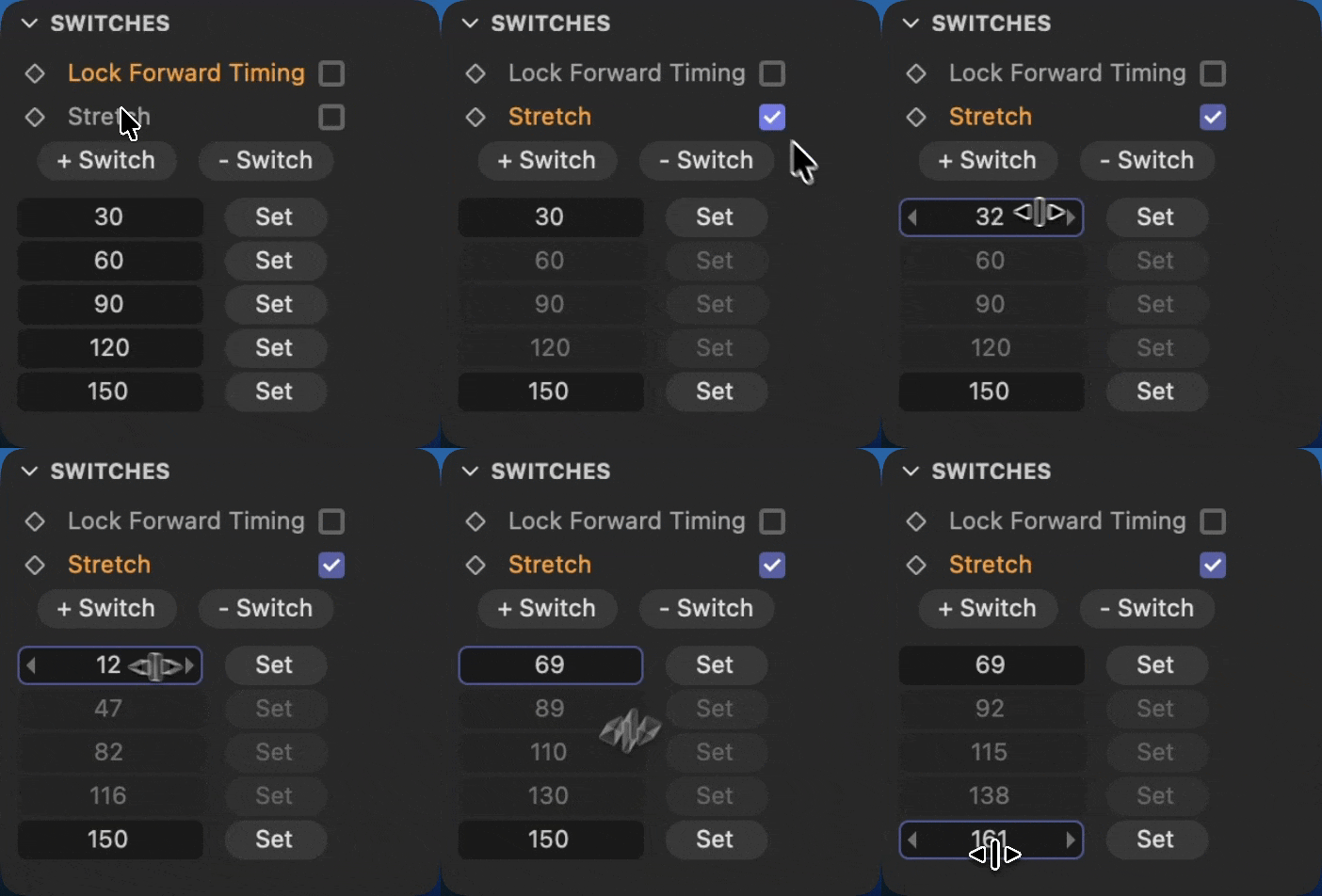
Flexible Timing Adjustments
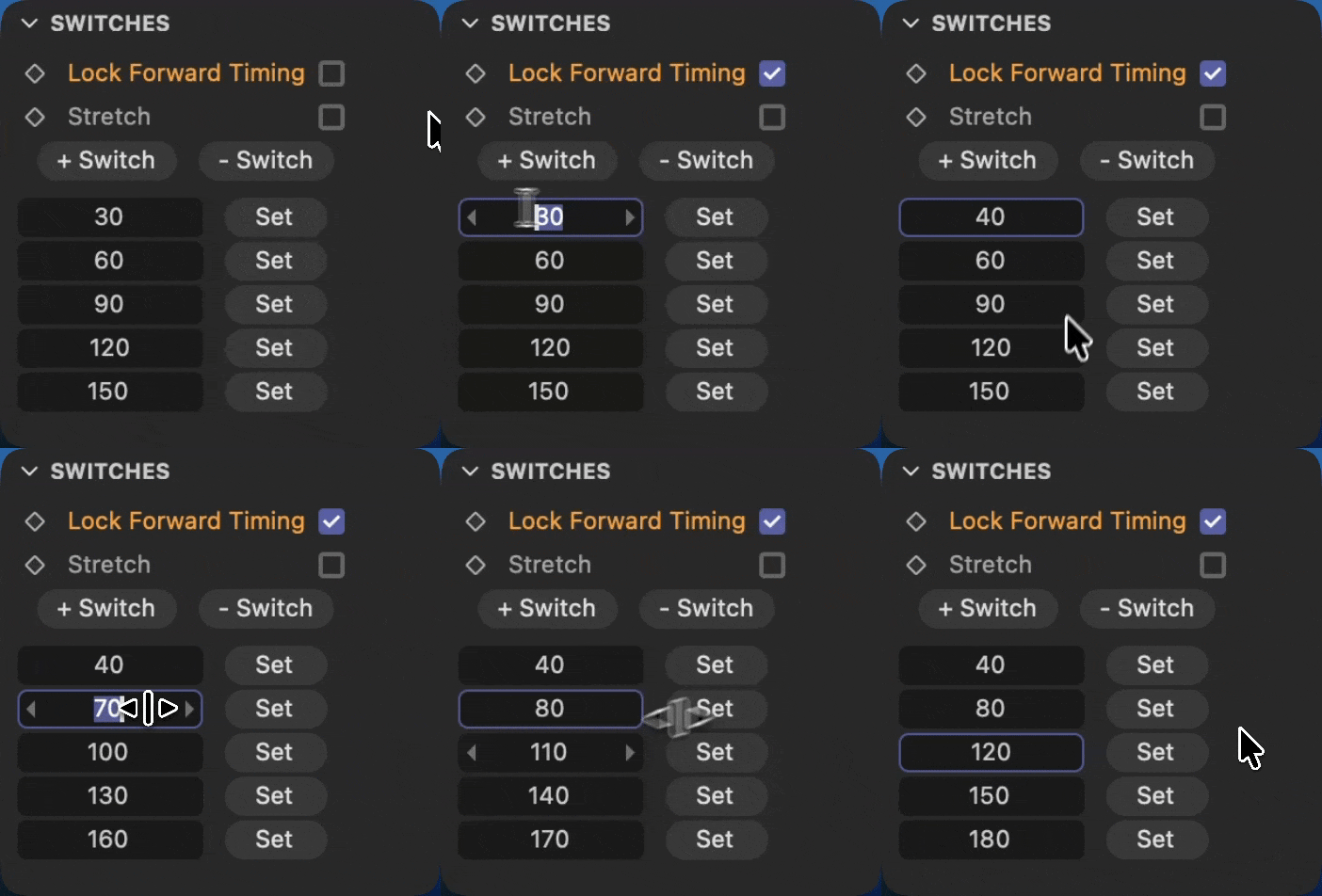
The switch frames are easy to tweak directly in the tag, so you can adjust timing without digging through keyframes or Xpresso nodes. Set buttons let you snap any switch to the current playhead frame, which makes timing changes fast while you work in the timeline.
For broader timing edits, Lock Forward Timing lets you move one switch and have every following switch shift by the same amount, while earlier switches stay untouched. Stretch lets you adjust the first and last switch while the middle switches keep their relative spacing, making it simple to compress or expand an entire visibility sequence.