
BOOK REVIEW / AFTER EFFECTS
Lightning Fast Animation
in Element 3D: review.
This Element 3D book review revisits Lightning Fast Animation in Element 3D, a guide to building 3D animation with the After Effects plugin. The original 2014 review found it a useful primer, particularly for model preparation, lighting, texturing and replicators.
The reviewer began with limited Element 3D experience: importing a model and applying basic textures. The book helped connect those first steps into a fuller animation workflow, while some of its Maya-specific modeling material felt less useful for that audience. These observations concern the edition originally reviewed.
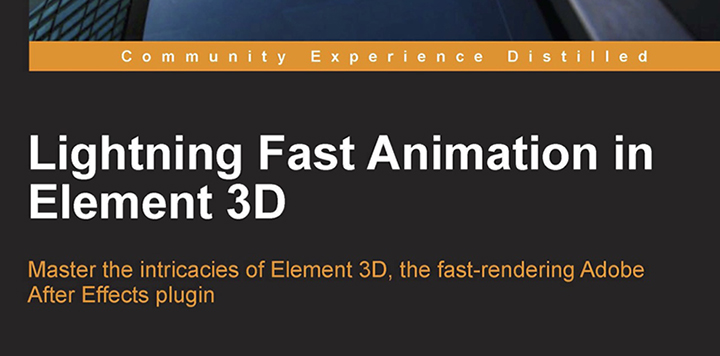
Original book-cover artwork from this review.
01 / EXPLORE THE WORKFLOW
From an imported model
to a complete scene.
The original review describes a step-by-step guide with enough reference images to follow the work. That mattered because knowing how to import a model and apply a texture was not the same as knowing how to assemble, light and animate a complete Element 3D scene.
The book also discusses limitations and ways around them. Its value was not simply speed: it showed how practical scenes could be organized for motion graphics and visual effects, giving the reader a clearer view of what the plugin could do.
The verdict was positive overall. For this reviewer, it provided a better understanding of the workflow and enough context to judge whether Element 3D fit a project. That is an assessment of the book, not a claim that it replaces every modeling or compositing tool.
02 / EXPLORE THE WORKFLOW
The strongest
learning topics.
Step-by-step scenes and reference images for getting beyond a first model import.
Model preparation, lighting, texturing and replicators for motion graphics and VFX.
Practical workarounds, with some modeling instruction that is too Maya-specific.
03 / EXPLORE THE WORKFLOW
What worked.
What felt misplaced.
Lighting, materials and scene building
The original review praises the coverage of lighting, texturing and replicators. These topics help a reader move from an isolated asset to a scene with a defined appearance and repeated elements.
Packt’s Preparing Your Scene excerpt offers a sample of the book’s approach. It is historical material, so compare its controls and limitations with the software version you actually use.
Model preparation versus a modeling detour
The reviewer found the model-preparation chapters helpful, but questioned the separate modeling chapter. An After Effects artist would not necessarily buy Maya just to make models for Element 3D, and the examples felt overly tied to that application.
The original suggestion was to demonstrate the modeling with Blender instead. Keep that criticism in context: it concerns accessibility and the choice of teaching application, rather than a claim that the modeling itself is unnecessary.
Choose the workflow around the task
If you need a standalone modeling or animation environment as well as After Effects, consider how the scene moves between applications. Our AE–C4D workflow review discusses a different handoff tool; it is not an Element 3D replacement or part of this book.
For hands-on practice, explore the motion graphics tutorials and workflow notes. Choose a lesson that addresses your actual gap—model preparation, lighting, animation or compositing—before adding another plugin to the process.
04 / EXPLORE THE WORKFLOW
Element 3D book
questions.
Who benefited from this book in the original review?
A reader who understood basic importing and textures but needed help completing a scene and animation.
Was it only about modeling?
No. The review emphasizes preparation, lighting, texturing, replicators and practical motion graphics and VFX examples.
What was the main criticism?
The modeling chapter and some preparation material relied too heavily on Maya for the intended plugin audience.
Does this establish current compatibility?
No. It preserves the assessment of the 2014 book. Check current software requirements and preview the edition before using it for a present-day project.