
Image2
Plane.
For Cinema 4D.
Image 2 Plane is a powerful Cinema 4D plugin that lets you import entire folders of images directly into your 3D scene with a single click. Each image is automatically converted into a textured plane with an organized material and layer setup, allowing you to work with large image sets instantly inside Cinema 4D.
Designed for motion designers, illustrators, concept artists, and 3D generalists, Image 2 Plane removes the friction of manually importing and managing reference images, textures, and image-based layouts.
$40
Cinema 4D 2024–2026

Image2Plane — folder importing and collage controls.
AT A GLANCE
Image2Plane core features.
- Import endless amounts of images into your scene instantly
- Create image collages with full customization
- Extrude all images to give dimension
- Adjust subdivisions for use with Deformers
- Filter your import by image types (jpg, tif, png, etc.)
- Use the Position Effector with Fields
- Planes and Materials are organized into layers for easy hiding
- Save your default settings for quicker importing
- New refresh button lets you swap out your images easily
Built for your workflow
A closer look.
Image collections.
Ready for 3D.
One-click importing
A folder of images.
Ready for your scene.
Getting images into your Cinema 4D scene could not be easier. Click Import Folder in the plugin interface and watch your images appear instantly in the viewport, each mapped correctly to its own plane.
This is the fastest way to bring large image collections into Cinema 4D for layout, reference, or creative experimentation.
Folder import
Aspect ratio
Named materials
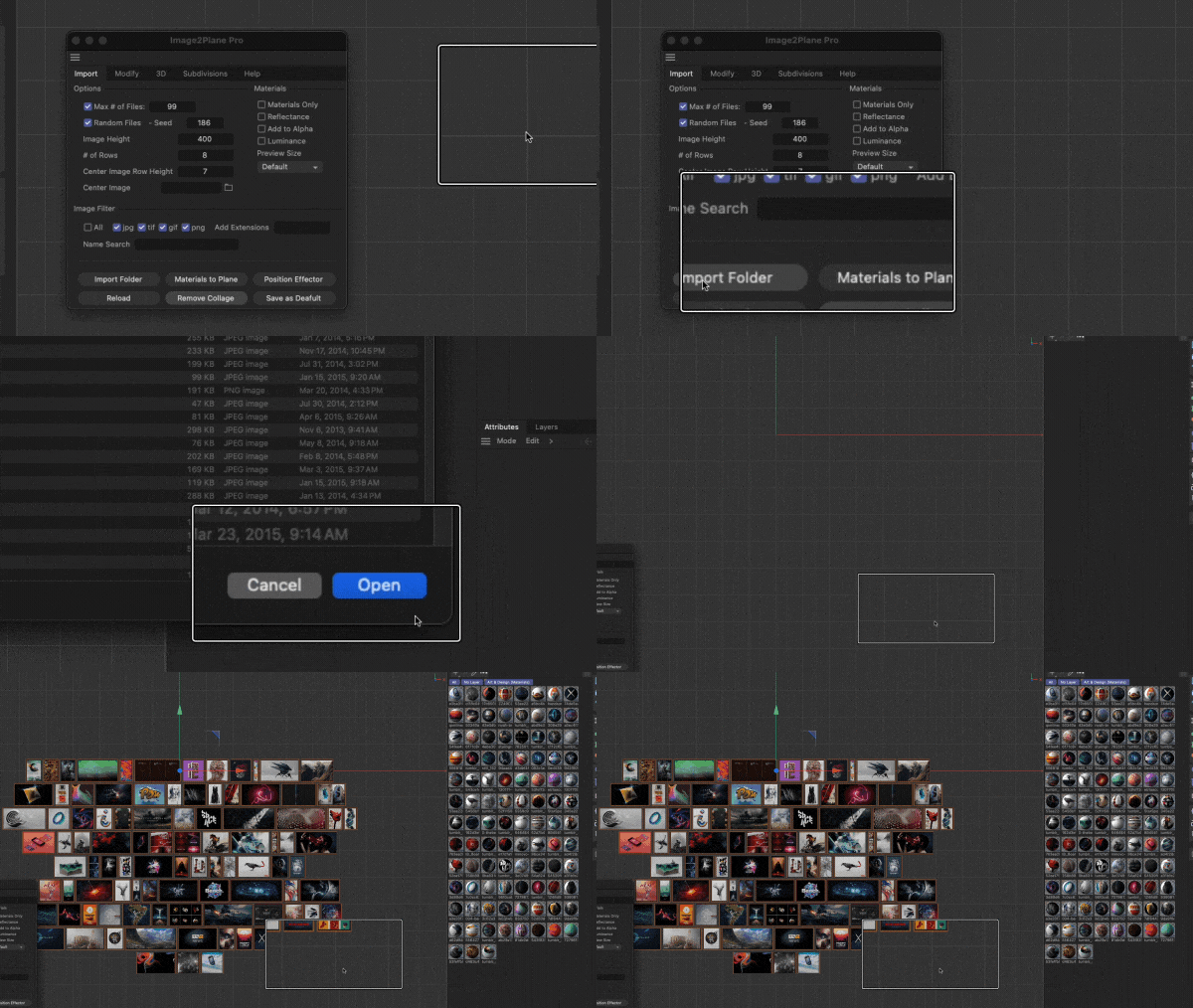
Image2Plane — One-click importing.
Universal control
One place.
Every plane.
Image 2 Plane provides global controls that affect every imported image plane at once. Adjust properties such as extrusion depth, rounding, bevels, subdivisions, and profile shapes from a single interface.
These universal controls make it easy to maintain visual consistency across large image collages while still allowing for creative customization.
Extrusion
Bevels
Subdivisions
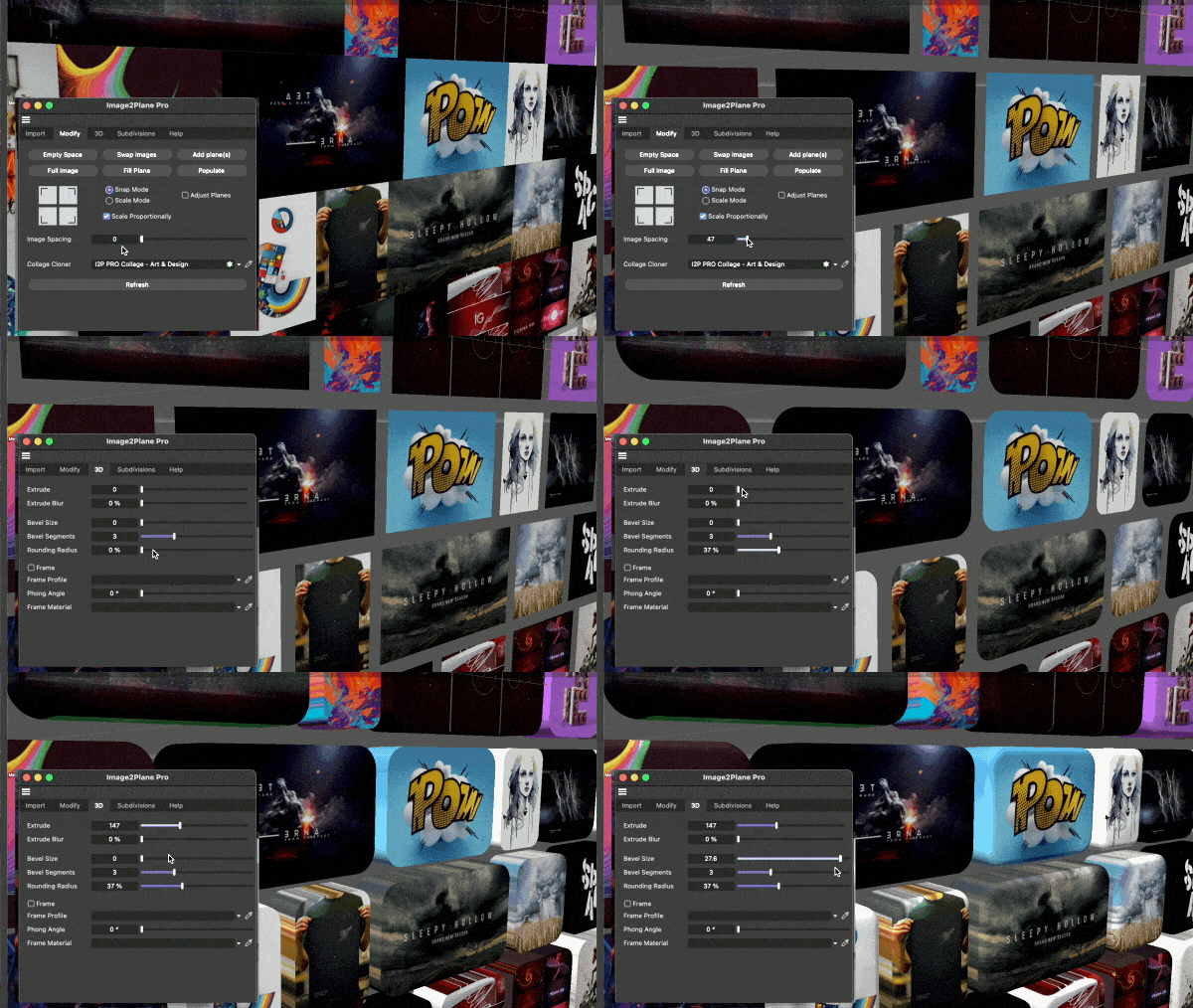
Image2Plane — Universal control.
Positioning tools
Build your layout.
Find your rhythm.
The built-in positioning system gives you precise control over how image planes are placed in 3D space. Create clean grids, layered collages, or organic arrangements with predictable and repeatable results.
When combined with Cinema 4D’s MoGraph tools, positioning controls can also be animated for dynamic image-based motion graphics.
Grids
Collages
MoGraph

Image2Plane — Positioning tools.
Unleash your creativity
Make room for
your next idea.
By removing the technical barrier of image importing, Image 2 Plane opens up entirely new creative workflows inside Cinema 4D. Use it for:
-
Mood boards and reference layouts
-
Image-driven motion graphics
-
Design exploration and concept work
-
Animated photo collages
-
Image-based storytelling
Instead of fighting file management, you can focus on composition, animation, and creative direction.
Mood boards
Motion graphics
Storytelling

Image2Plane — Unleash your creativity.
See Image2Plane in action.
Compatibility
Check your setup.
Image2Plane
Cinema 4D
2024
2025
2026
Tested versions
✓
✓
✓
Tested with Cinema 4D 2024, 2025 and 2026. See the documentation for import and collage controls.
Your next scene starts here.
Bring your image collection into Cinema 4D and start creating.
$40
A few things before you dive in.
What does Image2Plane create?
Import a folder of images as textured planes. Images keep their aspect ratios, and planes and materials are named and organized for easier scene management.
Can I control the whole collage together?
Yes. Use the global controls for extrusion, bevels, rounding, subdivision and positioning. You can save default settings and refresh an import when images change.
Release history
April 8, 2024 — Version 1.0 released, as listed on the original product page.