Gaussian Splat
Studio.
For Cinema 4D.
Bring Gaussian splat captures into Cinema 4D as a native object. Import PLY, SPZ, SOG and standard .splat files, then refine density, appearance and motion in a procedural, non-destructive workflow.
Now with native Standard/Physical rendering, optional GPU acceleration, native relighting, deformer and Cloner support, and dedicated Alpha/Depth passes. Redshift and Octane (beta) workflows remain available.
$59.99
Cinema 4D 2024–2027 · Mac + Windows
Train capture: Inria / 3D Gaussian Splatting dataset.
AT A GLANCE
Gaussian Splat Studio core features.
- Load PLY, compressed PLY, SPZ v1–4, SOG v1/v2 and standard .splat files.
- Refine density, size, opacity, color and orientation.
- Render natively with Standard/Physical and optional GPU acceleration.
- Relight captures with Cinema lights, shadows and ambient occlusion.
- Animate with supported effectors, forces, Fields and deformers.
- Create a linked Cloner setup that follows animated splat positions.
- Output dedicated Splat Alpha and Splat Depth passes.
- Export an evaluated frame as PLY, including supported deformation.
Built for your workflow
A closer look.
A capture is the starting point.
Import, refine, animate and render your splats in Cinema 4D.
Import & refine
Your capture.
Under your control.
Import PLY, compressed PLY, SPZ v1–4, SOG v1/v2 and standard .splat captures as native Cinema 4D scene objects. Refine density, size, opacity, color and orientation without changing the source capture.
Build a procedural workflow around your scan, then export an evaluated frame as PLY, including supported deformation.
PLY
SPZ
SOG
.splat
INSIDE THE PLUGIN
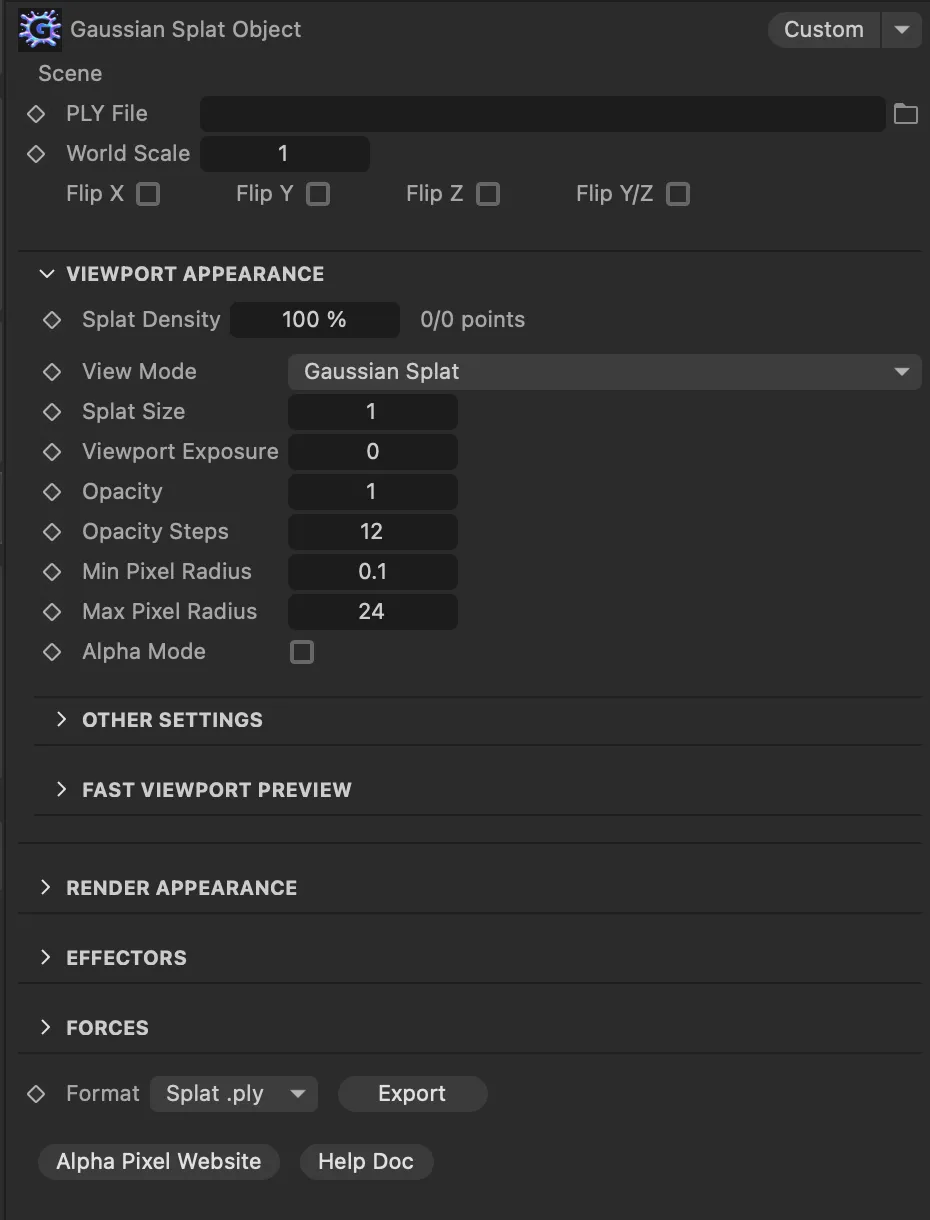
Real plugin controls, directly in Cinema 4D.
Native rendering + GPU
Keep the look.
Make the scene.
Render splats directly with Standard and Physical, preserving Gaussian shapes, sorted transparency and cleaner edges. Supported camera and splat animation stays consistent between frames.
Optional GPU acceleration uses Metal on Mac and DirectCompute on Windows, with CPU fallback. Windows GPU rendering is opt-in; CPU remains the default. This accelerates native splat rendering, not importing, Redshift or Octane.
Choose True Gaussian Splat for the captured look, Point Cloud for stylized dots, or card/geometry modes for traditional shading control. Renderer features vary by mode.
Train capture: Inria / 3D Gaussian Splatting dataset.
Metal on Mac
DirectCompute on Windows
Train capture: Inria / 3D Gaussian Splatting dataset.
Animation + Cloner support
Give your capture
a little motion.
Use supported MoGraph effectors, forces and Fields to shape motion and control which regions of a scan are affected. Version 1.5 improves frame evaluation and repeatable playback.
Deform splats with Bend, Twist, Taper, Bulge, Shear, FFD and Spherify, with responsive live updates while you drag the controls.
Create Cloner Setup builds a linked Clone Target. Clones follow the splat’s animated and deformed positions, with controls for count, seed, opacity filtering and offsets.
Sneaker capture: cakewalk / antimatter15 reference sample. Cloned numbers are ordinary Cinema geometry.
Sneaker: cakewalk / antimatter15. Numbers are ordinary Cinema geometry.
Relight your scene
A new light.
A different mood.
Native relighting brings Cinema 4D lights, moving shadows, ambient occlusion and environment lighting to your captures. Soft/contact shadows, smoother lighting and optional surface highlights help integrate splats with the rest of your scene.
Blend new illumination with the lighting already captured in the scan to shape the mood and match other elements. Redshift lighting workflows remain available.
Lights
Shadows
Ambient occlusion

Lighting example from Gaussian Splat Studio.
Faster previews, cleaner splats
Stay in your flow.
Use lighter preview modes or reduce editor density while setting up cameras, animation and lighting. Keep viewport and final-render controls separate so preview adjustments preserve the underlying splat data.
Version 1.5 refines import orientation, view-dependent color and preview edges across supported captures. Improved cache reuse, memory handling, mouse-position orbiting and Mac Cinema 2025 stability make everyday scene work smoother.

Set up your scene with dedicated viewport controls.
Alpha + Depth for compositing
Make the final
pieces fit.
Output dedicated Splat Alpha and Splat Depth passes in the native renderer for masking, depth-based effects and compositing. These passes are available in the dedicated native-rendering mode.
The existing viewport matte workflow remains available in True Gaussian Splat mode. Check silhouettes, transparency and edge coverage in the editor while preparing your composite.
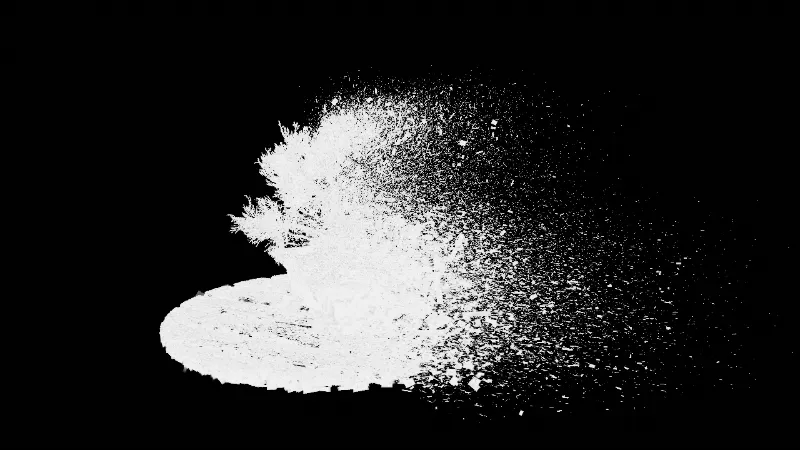
Alpha
Depth
Viewport mattes
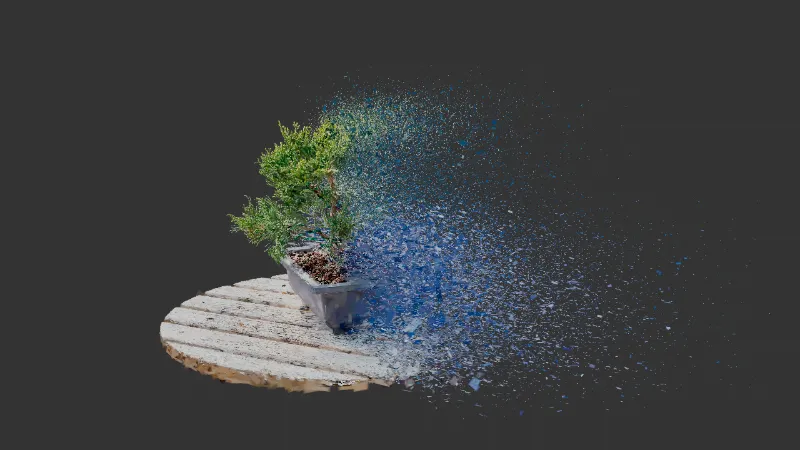
Compatibility
Check your setup.
Gaussian Splat Studio 1.5
Cinema 4D
2024
2025
2026
2027
Windows
✓
✓
✓
✓
Mac
✓
✓
✓
✓
Cinema 4D 2024 on Mac requires Apple Silicon.
Your next scene starts here.
A new way to work with the world you capture.
$59.99
A few things before you dive in.
How does GPU acceleration work?
Native rendering uses Metal on Mac or DirectCompute on Windows. Windows GPU rendering is opt-in; CPU is the default.
What about Redshift and Octane?
Redshift remains supported; Octane is beta. GPU acceleration applies to native splat rendering.