
CINEMA 4D • PLUGIN
Toporizer 1.4.
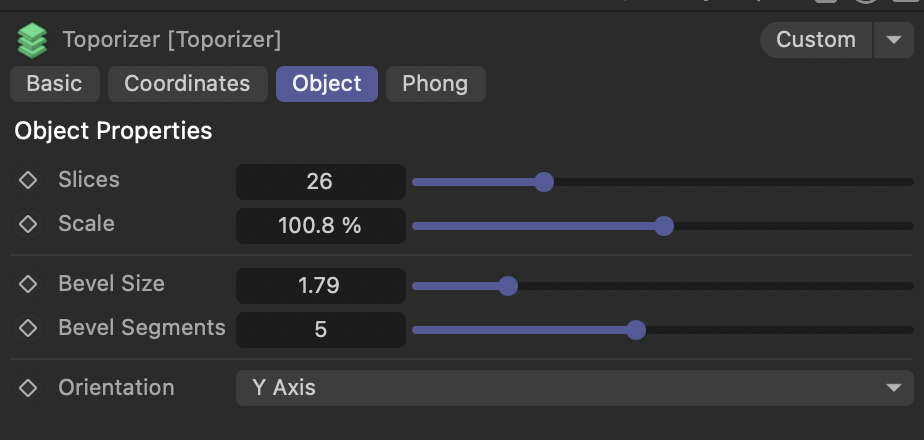
The Toporizer Cinema 4D plugin by Merk Vilson turns source geometry into layered, contour-style forms. Its reference interface exposes Slices, Scale, Bevel Size, Bevel Segments and Orientation controls for developing the sliced look.
Use this Cinema 4D slicing plugin to explore stepped shapes, abstract objects and topographic-style surfaces. Start with the broad silhouette, then adjust the layers and edge treatment to suit the camera distance and lighting.
Creator-listed compatibility: Cinema 4D R19–2026.

AT A GLANCE
Toporizer Cinema 4D plugin
features.
Create layered, contour-style geometry from a source object
Adjust the Slices control to compare levels of detail
Explore the Scale control while keeping the source setup available
Compare slice direction with the Orientation control
Shape edges with Bevel Size and Bevel Segments
Develop topographic-style stills and motion-design ideas
Review the result at your intended camera distance
02 / BUILT FOR YOUR WORKFLOW
Simple form.
Layered structure.
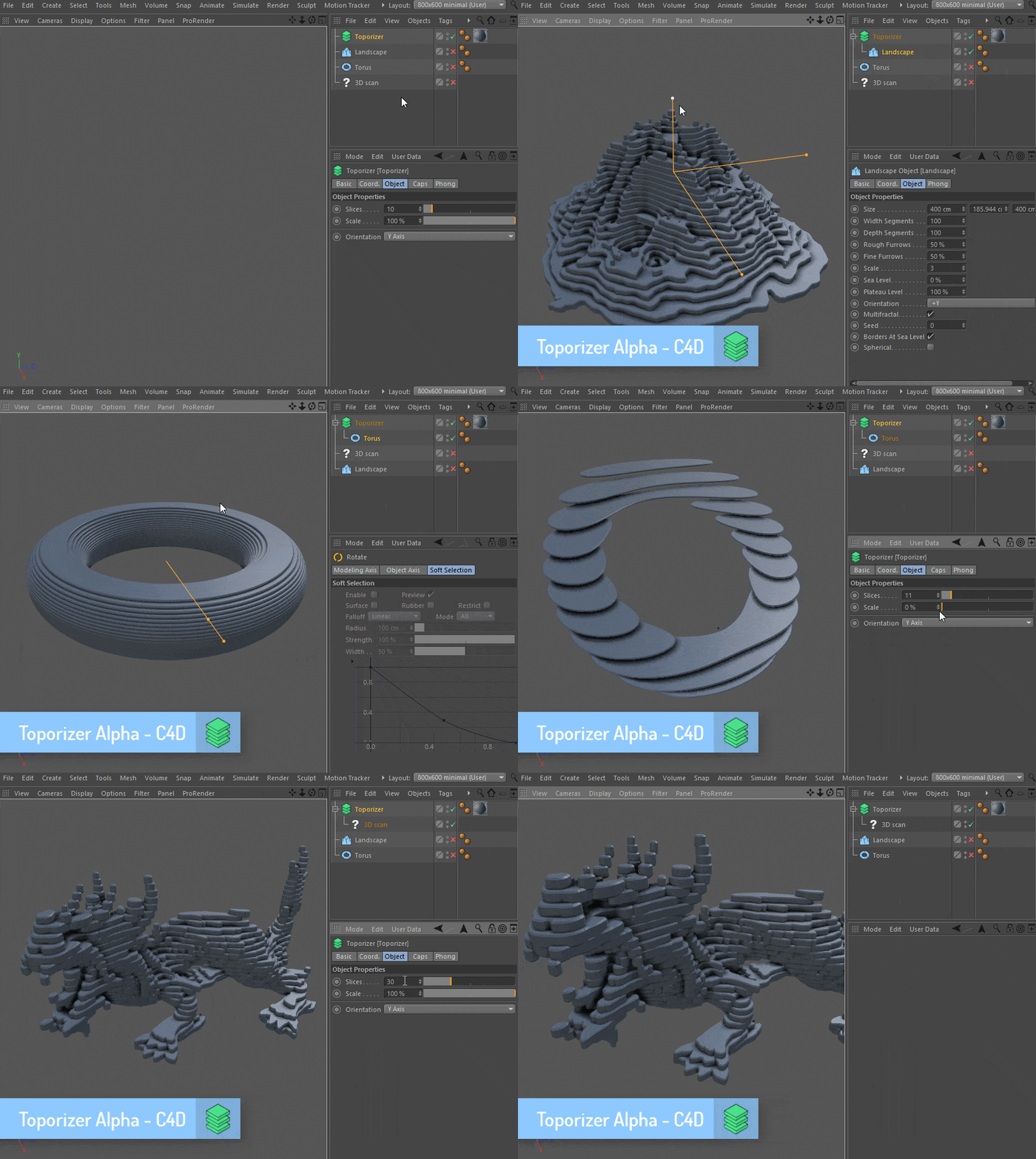
Use the sliced result to reveal a source shape through repeated layers. The Slices and Orientation controls are good starting points: compare a restrained stack with a denser treatment, then change the direction to see how it affects the silhouette.
The reference interface also includes Scale. Change one control at a time so you can see which adjustment gives the form its character. Keep useful variations as separate scene versions rather than losing a promising setup during experimentation.
03 / BUILT FOR YOUR WORKFLOW
Contour the shape.
Refine the edges.
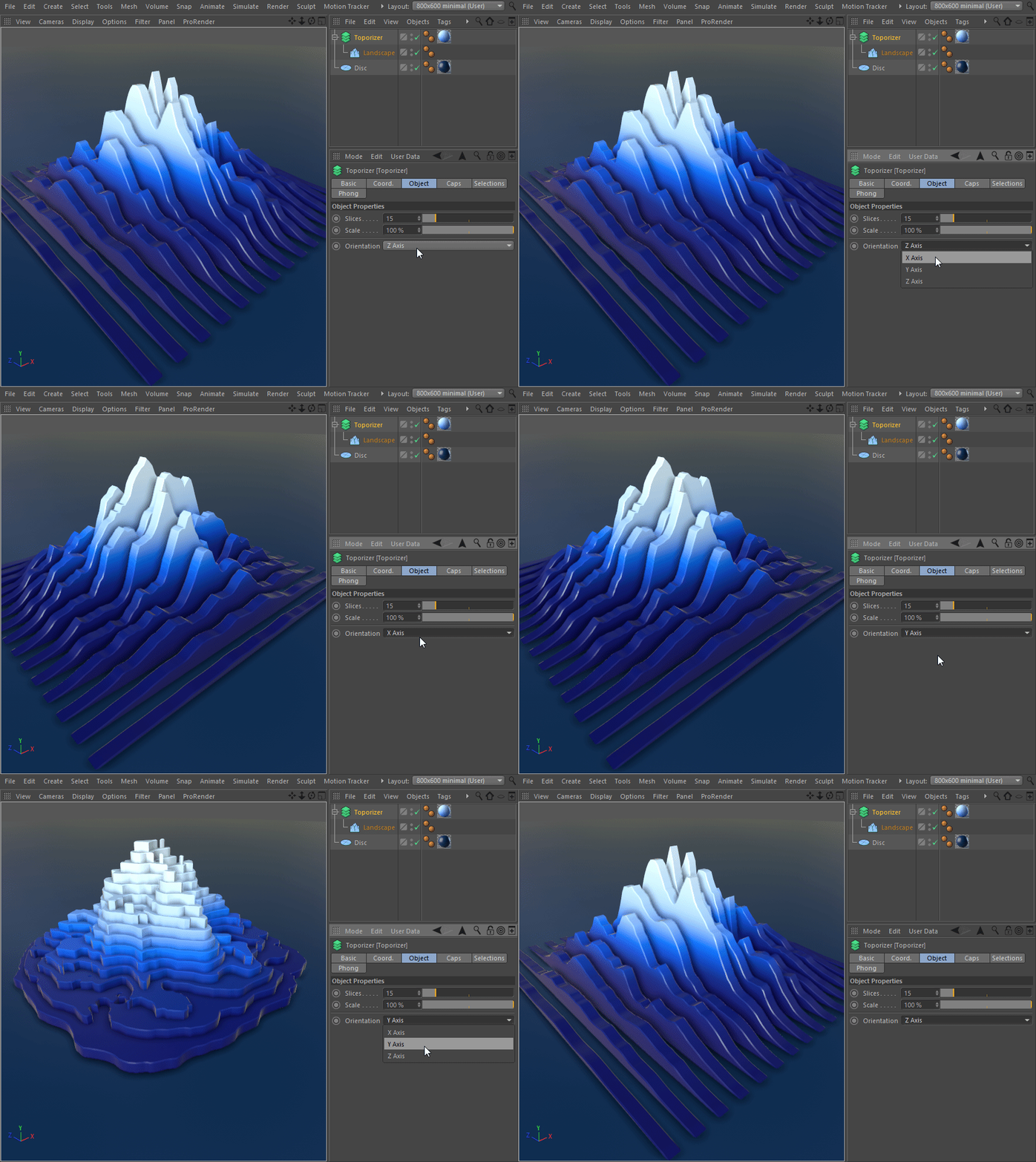
Explore topographic effects in Cinema 4D by treating a landscape-like or abstract source as a set of visible layers. The vertical-slice example shows another direction for the same graphic idea; orientation can change how the structure reads.
Use Bevel Size to explore the edge width and Bevel Segments to compare the edge subdivision. Judge the result under your intended lighting: small edge details may matter in a close-up but add little in a distant shot. Compare a small render before adding more subdivisions, and keep the source setup available while you refine the treatment.
START WITH A SIMPLE SCENE
Build the layers.
Refine the look.
- Check the plugin build. Use the creator’s download for your Cinema 4D release. Read the supplied instructions and our general plugin installation guide before setting up the scene.
- Start with a simple shape. Keep the source manageable so changes in the sliced result are easy to understand.
- Compare slices and direction. Adjust Slices, then compare Orientation settings. Look at the overall form before focusing on small edges.
- Refine the treatment. Compare Scale, Bevel Size and Bevel Segments separately. Save a useful version before trying a very different look.
- Check the final view. Add materials and lighting, then make a small render. Test scene performance and any animation in your actual project rather than assuming every combination behaves the same way.
GOOD TO KNOW
Toporizer
questions.
What does Toporizer create?
It creates layered, contour-style geometry from a source shape. The examples show how that treatment can be used for stepped forms and abstract motion-design imagery.
Why change the slice orientation?
Direction changes how the layers cut across the form. Compare orientations to find a silhouette that reads clearly from the camera used in your shot.
How do the bevel controls differ?
Bevel Size controls the width of the edge treatment, while Bevel Segments controls its subdivision. Compare both at the final camera distance so the added detail serves the image.
How much edge detail should I use?
Match the bevel treatment to your shot. Check close-ups for visible edges, then reduce unnecessary subdivisions when they add scene complexity without changing the final image.
Which Cinema 4D versions are supported?
The creator currently lists Toporizer 1.4 for Cinema 4D R19–2026. Check that listing for the current build. This is creator-listed compatibility, not a claim that Alpha Pixel has tested every release.
Who develops Toporizer?
Toporizer is developed by Merk Vilson. Our purchase buttons use an affiliate link to the creator’s Gumroad checkout; downloads and product support are provided by the creator.
COMPATIBILITY