CINEMA 4D • PLUGIN
Topowire.
The Topowire Cinema 4D plugin by Merk Vilson creates procedural wire connections between objects or across a single mesh. Use it as a Cinema 4D wire generator for cables, hanging connections and abstract line work, with controls for point distribution, length limits, curvature and thickness.
Build the connections around your objects, refine their shape, then add materials, lighting and motion for your shot. The examples below show connected geometry, spline dynamics and organic forms made from the generated wires.
Creator-listed compatibility: Cinema 4D R15–2026.

AT A GLANCE
Topowire Cinema 4D plugin
features.
Distribute wires across a single object or multiple objects
Generate cable thickness from the spline setup
Use the Falloff Effector to limit where wires are generated
Control wire thickness directly in the plugin
Apply dynamics to splines with a single click
Easily adjust spline groupings and Y position of start and end points
Set minimum and maximum wire length limits

Earlier Topowire interface reference. Current build and version support are listed by the creator.
02 / BUILT FOR YOUR WORKFLOW
Instantly Generate Wires Between Objects
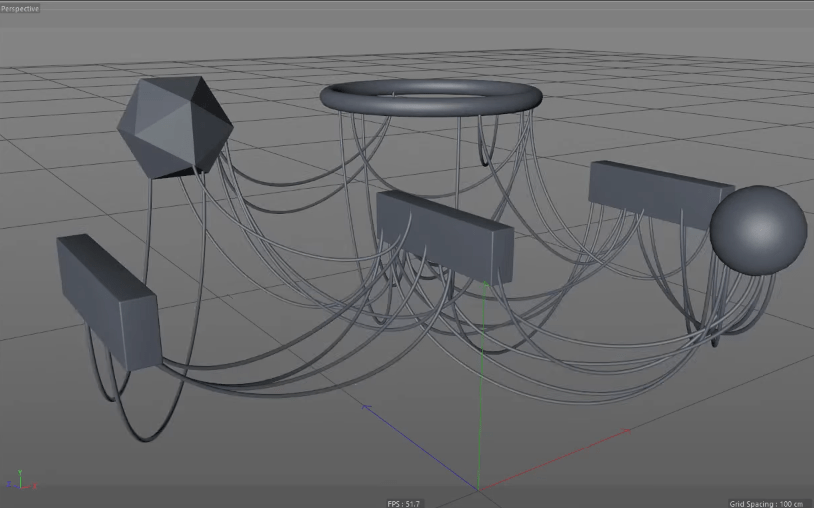
Topowire makes it easy to connect multiple objects with splines — simply drop them into the generator hierarchy and let the plugin do the work. You can also distribute wires across a single mesh, making it perfect for complex surfaces, tech assets, or layered designs.
Use built-in controls to define minimum and maximum wire lengths, grouping behavior, and start/end offsets for precise placement.
03 / BUILT FOR YOUR WORKFLOW
One-Click Spline Dynamics
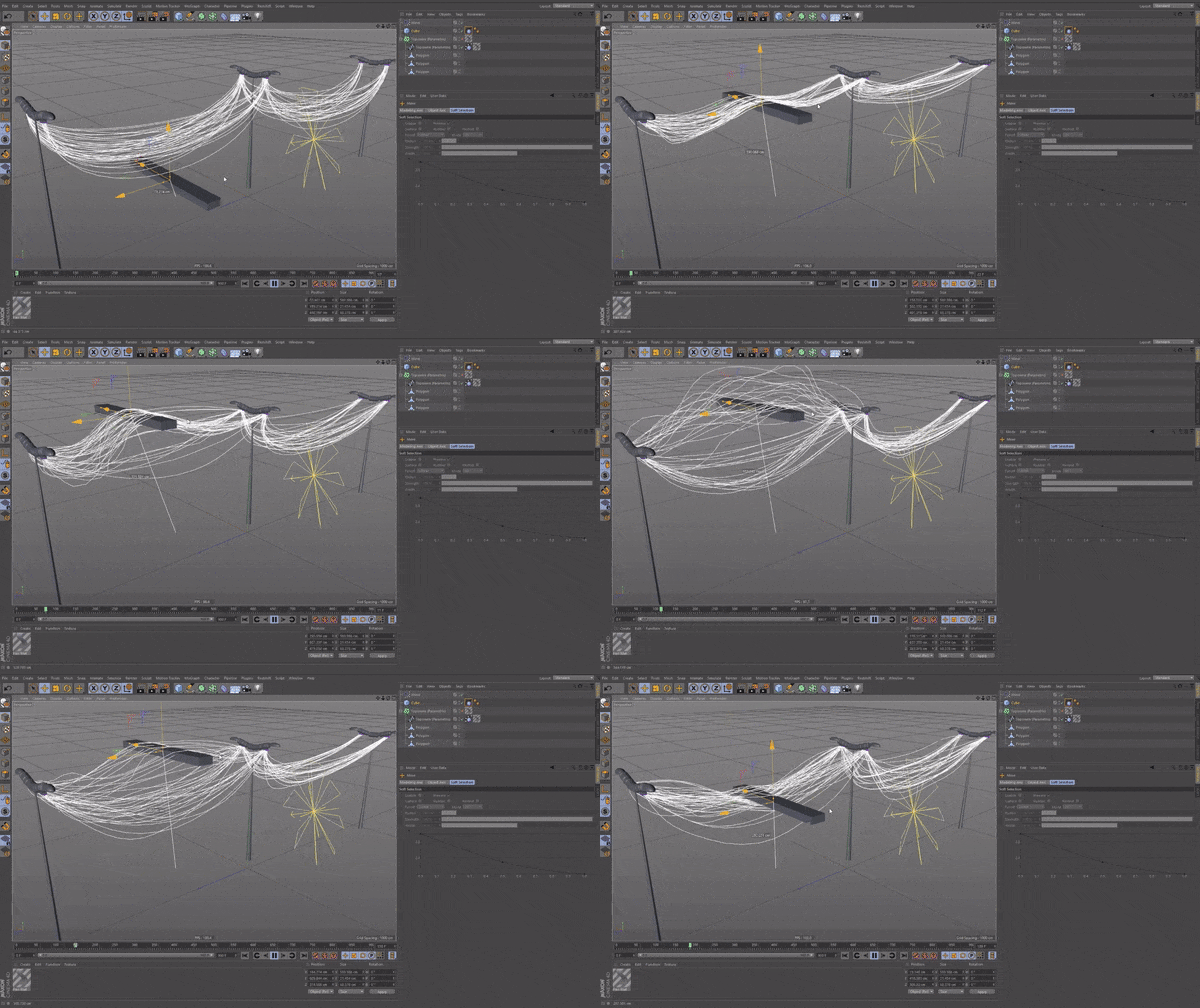
Once your wires are generated, Topowire allows you to convert them into dynamic splines with a single click. Add forces, colliders, or secondary motion to create realistic cable movement, hanging wires, or reactive connections without the usual setup headaches.
This makes Topowire ideal for motion graphics, simulations, and interactive design elements.

04 / BUILT FOR YOUR WORKFLOW
Set cable thickness
before rendering.
Use the Thickness and Radius settings shown in the reference interface to give the connections a visible cable profile. Check the result from your intended camera angle: a radius that reads clearly in a close-up may need a different scale in a wide shot.
Add materials and make a small test render in your chosen renderer before committing to a long sequence. The reference images illustrate the workflow; they are not a guarantee of identical settings or output in every Cinema 4D version.
05 / BUILT FOR YOUR WORKFLOW
Creative Possibilities
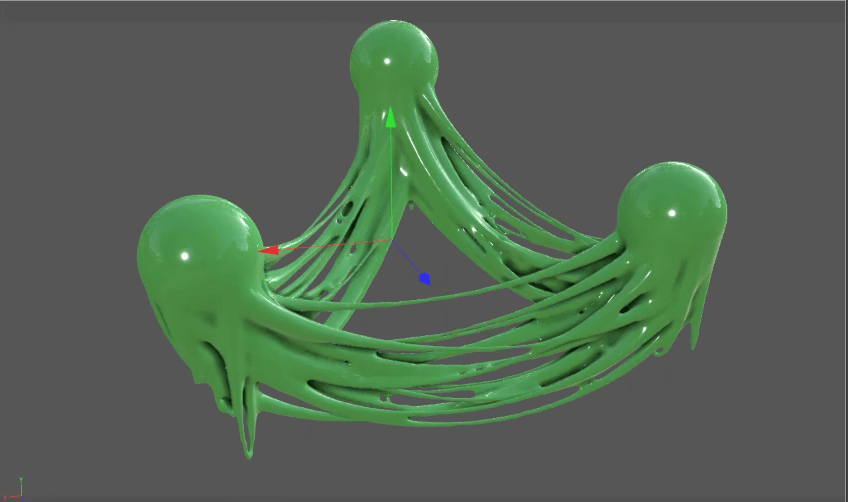
Topowire isn’t limited to technical cable setups. Combine it with Cinema 4D’s Volume Builder and Volume Mesher to create slime-like connections, organic bridges, or experimental forms between objects, perfect for abstract motion design and stylized visuals.
START WITH A SIMPLE SCENE
Build your first
wire connection.
- Install the appropriate build. Use the creator’s download for your Cinema 4D version, then restart the application. Our Cinema 4D plugin installation guide covers the general folder setup.
- Begin with a small object setup. Add the Topowire generator and place your source objects beneath it in the hierarchy. Start with simple shapes so you can see where each connection begins and ends.
- Refine the distribution. In the reference interface, Points Count controls the point count and Random Seed changes the distribution. Use the Distance Limit minimum and maximum settings to narrow the range of connection lengths.
- Shape the wires. Adjust curvature and position, then use Thickness and Radius to establish a visible cable profile. Check the result from the camera rather than judging only from the editor view.
- Add motion after the layout works. The dynamics example on this page shows moving spline connections. Test a short section of your animation and check collisions before building a larger scene.
GOOD TO KNOW
Topowire
questions.
Can Topowire connect more than one object?
Yes. The connection example shows wires between several shapes. The tool can also distribute connections across a single mesh, so choose the source arrangement that fits the effect you need.
How do I make procedural cables in Cinema 4D?
Use Topowire to generate the connections, adjust their curvature and length range, then give them thickness. Build the cable layout first; add dynamics when you need the wires to move.
What should I check if the wire layout looks wrong?
Review which objects are in the generator hierarchy and check the point distribution and distance limits. Begin with a simple scene and change one setting at a time so you can identify what affects the result.
Which Cinema 4D versions are supported?
The creator currently lists Topowire 1.3 for Cinema 4D R15–2026. Check the creator’s current listing before buying or updating. The older interface images on this page are workflow references, not evidence of testing every release.
Who develops Topowire, and where do I get it?
Topowire is developed by Merk Vilson. The purchase buttons lead to the creator’s Gumroad checkout through our affiliate link. Alpha Pixel presents the product here; support and current download availability are handled by the creator.
COMPATIBILITY